Showing posts with label PETEandC09. Show all posts

Image representing Plurk as depicted in CrunchBaseImage via CrunchBase

When I first used Twitter about a year ago, I just didn't get it. Why would anyone care what I was doing? Why do I care if CandyBar44 is grading papers from her 8th grade class? So I put it aside and sometimes would "lurk" and see what others were reporting. Still boring, until I put out a "tweet" asking for help with a GoogleEarth idea and was flooded with replies. People sent me links to tutorials, lesson plans, their own files and images that could be downloaded. None of these folks knew me, but were willing to share their own intellectual property.

Along came plurk.com in June of last year. Steve Dembo from Discovery put out the invitation at NECC to join him there, so I did (plurk= RobinMartin). I felt the same way, even though the discussion was threaded a different way it was hard to get used to, but I tried. It took a longer time to buy in to this concept, but after 8 months, I have built up a great group of online friends and developed a unique PLN (Personal Learning Network) that shares ideas freely. When we meet at a conference such as the recent PETE&C in Hershey, PA it is like a family reunion! There are hugs and a feeling of already knowing the person. The community is open and not a clique.

Moving to the why of blogging. I would regularly send teachers in my school a few links a week for interesting sites they could use in their lessons. By reading other blogs of my PLN, I bookmarked quite a collection of sites and ideas for our teachers so I started blogging with Blogger to share these links with a description to everyone.

Trying to explain these concepts to a novice web2.0 user can cause a headache. But this morning, someone "plurked" about a blogger, Steven Moore, who is a tech aid. His explanation of blogs, plurks and tweets is just the thing I need to give a visual to these tools. Read his post and see if it clears up your head about how these are intertwined.
Reblog this post [with Zemanta]


Tour de France Google Earth MapsImage by plemeljr via Flickr

Jason Heiser - He created the GE tour and assigns kids to read the information on the tour and "Identify the 3 most important battles in the Pacific by reading the info in the tour."

http://peteandcpreso.wikispaces.com/

You can import video, audio and Glogster files into a google earth placemark. He used the 5 themes of geography as a topic. Link for this HERE.

Students become responsible for their own learning but the teacher creates the content. Flash, video, audio photo, or text can b used. He has his web page and rubrics in placemarks for students to access.

Fly to: simple starting point for students to fly a tour. Readtheword.com will take your text and make an audio file so you can embed it into their wiki. Use the directions on the wiki.

Activating Layers: This is where you add content. You can use youtube.com, Epressr.com, slideshare.com, scribd, Voki

Have students create history tours - students can create their own icons to mark the battles and who won

Jog the web - Jason's collection of Google Earth sites including student projects.
Reblog this post [with Zemanta]


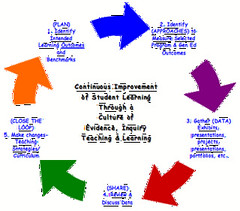
Assessment CycleImage by rj43214 via Flickr

Wiki space includes a chat/question location so the speakers could monitor the questions.

If you start with the assessment first, it is much easier to get your students to the end of the journey. Perhaps you want to make the rubric first before starting the study. Some teachers include students in the creation of the rubric!

See the presentation on the wiki. The image at the right is not from the presentation.

Louise offered formative and summative samples for teachers to use and change.